When we build software, websites, or APIs, one thing happens again and again:
our code needs to talk to a server.
A browser does this all the time without us noticing. But as developers, we also need a direct way to send messages to servers and see their responses clearly. This is where cURL comes in.
In this blog, we will understand cURL from first principles. We will not rush into complex flags or advanced usage. We will first build the mental model, then slowly connect the dots.
What Is a Server (and Why We Need to Talk to It)
Before understanding cURL, we need to understand what a server is.
A server is just another computer connected to the internet. Its job is to receive requests and send responses. When we open a website, submit a form, or load data in an app, we are talking to a server.
The server may send:
As developers, we constantly need to:
For this, relying only on the browser is not enough.
What Is cURL (in Very Simple Terms)
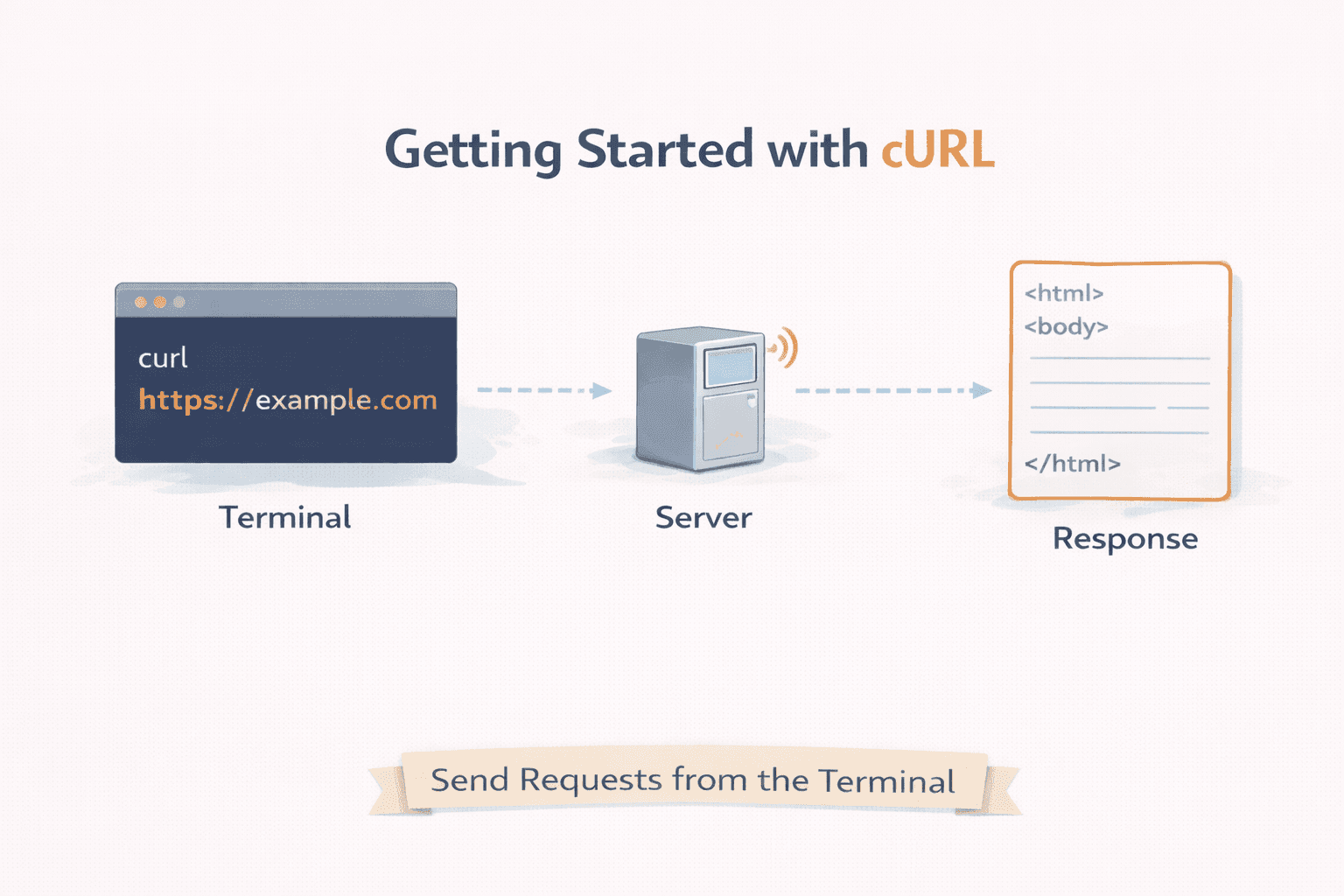
cURL is a tool that lets us send messages to a server from the terminal.
That’s it.
It does not have buttons.
It does not have a UI.
It does not hide anything.
It shows us:
Think of cURL as a direct phone call to a server, instead of using a fancy app.
Why Programmers Need cURL
Browsers do many things automatically:
They add headers
They follow redirects
They cache responses
They hide raw data
This is good for users, but not always good for learning or debugging.
With cURL, we:
Talk directly to the server
See raw responses
Test APIs without writing code
Understand how HTTP really works
This makes cURL extremely important for backend developers, frontend developers, and even DevOps engineers.
Making Our First Request Using cURL
The simplest thing we can do with cURL is fetch a webpage.
When we run a basic cURL command, we are doing the same thing a browser does at a very basic level:
Send a request
Receive a response
Print it on the screen
There is no magic here. cURL sends a request to the server, and the server sends something back.
Seeing this response directly helps us understand what is really happening behind the scenes.
Understanding Request and Response
Every communication with a server follows the same idea:
A request is sent
A response is returned
A request usually contains:
A response usually contains:
A status (success or error)
Data (HTML, JSON, text, etc.)
cURL lets us see this response clearly, without browser interference. This is one of its biggest learning advantages.
Introducing GET and POST (Only the Basics)
To keep things simple, we only focus on two methods.
GET means:
“We want to read data”
No changes on the server
POST means:
Most APIs in the beginning can be understood using just these two methods. There is no need to overload ourselves early.
Using cURL to Talk to APIs
An API is just a server endpoint that returns data instead of a full webpage.
When we use cURL with APIs, we:
This is extremely useful when:
cURL becomes a bridge between our terminal and the backend logic.
Common Mistakes Beginners Make with cURL
One common mistake is trying to learn all flags at once. cURL has many options, but beginners don’t need most of them early.
Another mistake is copying commands without understanding what they do. This creates confusion instead of clarity.
Some also expect cURL to behave like a browser. But cURL is not a browser, it is a network tool.
The goal in the beginning is not mastery. The goal is confidence.
Browser Request vs cURL Request (Conceptually)
A browser:
cURL:
Both talk to servers, but cURL gives us transparency.
Where cURL Fits in Backend Development
In backend development, cURL is used to:
Test APIs
Debug production issues
Verify server responses
Learn HTTP deeply
It often becomes the first tool we reach for when something breaks.
cURL is not about commands.
It is about understanding communication between our system and a server.
Once we understand this flow, everything else, APIs, frameworks, tools starts making more sense.
We don’t rush.
We build clarity first.
Depth comes later.