When we build real applications, our code starts to grow. We have data, we have functions that work on that data, and before long everything is spread across the file with no clear structure. Things get hard to manage, hard to read, and hard to fix when something breaks.
Object-Oriented Programming, or OOP, is a way of organising code so that related data and behaviour live together in one place. It is not a JavaScript-specific concept. It is a way of thinking about code that exists across many programming languages.
The core idea is simple: instead of having loose variables and functions floating around, we model our program around things, and each thing has its own data and its own actions.
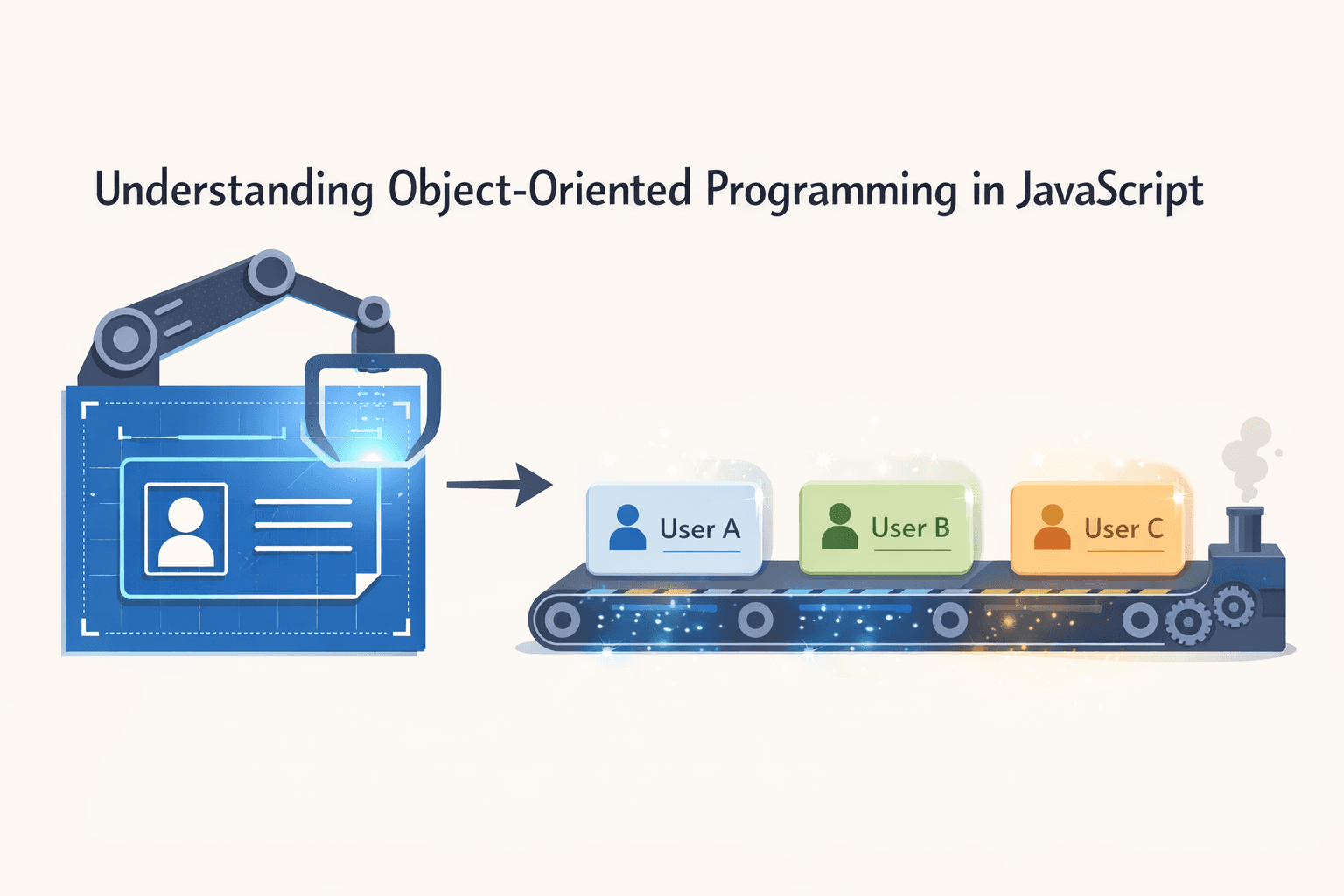
The Blueprint Analogy
Before we write a single line of code, let's think about how a car factory works.
An architect draws one blueprint for a car. That blueprint defines what every car made from it will look like. It says every car will have a brand, a colour, and a model. It also defines what every car can do, like start, stop, and accelerate.
From that one blueprint, the factory produces hundreds of individual cars. Each car is its own separate thing. One car might be red, another might be blue. But they were all created from the same blueprint.
In JavaScript, a class is the blueprint. An object is the car that gets created from it. We write the class once, and we can create as many objects from it as we need.
What is a Class?
A class is a template that defines what an object will look like and what it can do. We use the class keyword to create one.
class Student {
  constructor(name, age) {
    this.name = name;
    this.age = age;
  }
}
Let's break this down piece by piece.
class Student defines a new class called Student. By convention, class names always start with a capital letter.
constructor is a special method that runs automatically every time we create a new object from this class. It is where we set up the initial data for the object.
this.name and this.age are properties being attached to the object being created. The this keyword refers to the specific object that is being built at that moment.
Creating Objects from a Class
Once we have a class, we create objects from it using the new keyword. Each object created from a class is called an instance.
class Student {
  constructor(name, age) {
    this.name = name;
    this.age = age;
  }
}

let student1 = new Student("Gurjeet", 22);
let student2 = new Student("Priya", 21);
let student3 = new Student("Rahul", 23);

console.log(student1.name); // Gurjeet
console.log(student2.age);  // 21
console.log(student3.name); // Rahul
We wrote the Student class once. From that single template, we created three completely separate student objects. Each one has its own name and age. Changing one does not affect the others.
This is exactly like the car factory. One blueprint, multiple cars, each one independent.
Adding Methods to a Class
A class does not just hold data. It can also hold functions that work with that data. Functions inside a class are called methods.
class Student {
  constructor(name, age, course) {
    this.name = name;
    this.age = age;
    this.course = course;
  }

  introduce() {
    console.log("Hi, my name is " + this.name + " and I am studying " + this.course);
  }

  birthday() {
    this.age += 1;
    console.log(this.name + " is now " + this.age + " years old");
  }
}

let student1 = new Student("Gurjeet", 22, "Web Development");

student1.introduce();
// Hi, my name is Gurjeet and I am studying Web Development

student1.birthday();
// Gurjeet is now 23 years old
The introduce method uses this.name and this.course to print a message specific to that student. The birthday method updates this.age for that particular object.
Notice that this inside a method always refers to the object the method is being called on. When we call student1.introduce(), this is student1. The method works with that specific student's data.
The Idea of Encapsulation
One of the core concepts behind OOP is encapsulation. The word sounds complicated but the idea is straightforward.
Encapsulation means keeping an object's data and the functions that work with that data together in one place. The outside world does not need to know how the object works internally. It just needs to know what it can do.
Think of a TV remote. We press the volume button and the volume goes up. We do not know what circuit gets triggered inside. We do not care. We just know that pressing the button does the job.
In code, this looks like:
class BankAccount {
  constructor(owner, balance) {
    this.owner = owner;
    this.balance = balance;
  }

  deposit(amount) {
    this.balance += amount;
    console.log(this.owner + " deposited " + amount + ". New balance: " + this.balance);
  }

  withdraw(amount) {
    if (amount > this.balance) {
      console.log("Insufficient balance");
    } else {
      this.balance -= amount;
      console.log(this.owner + " withdrew " + amount + ". New balance: " + this.balance);
    }
  }
}

let account = new BankAccount("Gurjeet", 5000);

account.deposit(1000);
// Gurjeet deposited 1000. New balance: 6000

account.withdraw(2000);
// Gurjeet withdrew 2000. New balance: 4000

account.withdraw(10000);
// Insufficient balance
The logic for how deposits and withdrawals work lives inside the class. Anyone using this class just calls deposit() or withdraw() without needing to know how the balance is being calculated internally. That is encapsulation in action.
Why OOP Matters
When we are writing small programs, OOP might feel like extra work. But as our programs grow, the benefits become obvious.
Instead of having random variables and functions spread everywhere, everything is organised into classes that represent real things in our program. A User, a Product, an Order, a Cart. Each one has its own data and its own behaviour. When something breaks, we know exactly where to look.
OOP also makes code reusable. We write the Student class once and create as many student objects as we need. Any change to the class automatically applies to all objects created from it.
This is the thinking behind how most real JavaScript applications, especially those built with frameworks like React, are structured. Getting comfortable with classes, constructors, methods, and the concept of encapsulation is a solid step towards writing code that is clean, organised, and built to scale.